Computer virus
From Wikipedia, the free encyclopedia
In computer security, computer virus is a self-replicating computer program that spreads by inserting copies of itself into other executable code or documents. A computer virus behaves in a way similar to a biological virus, which spreads by inserting itself into living cells. Extending the analogy, the insertion of a virus into the program is termed as an "infection", and the infected file, or executable code that is not part of a file, is called a "host". Viruses are one of the several types of malicious software or malware. In common parlance, the term virus is often extended to refer to worms, trojan horses and other sorts of malware; viruses in the narrow sense of the word are less common than they used to be, compared to other forms of malware.
While viruses can be intentionally destructive, for example, by destroying data, many other viruses are fairly benign or merely annoying. Some viruses have a delayed payload, which is sometimes called a bomb. For example, a virus might display a message on a specific day or wait until it has infected a certain number of hosts. A time bomb occurs during a particular date or time, and a logic bomb occurs when the user of a computer takes an action that triggers the bomb. The predominant negative effect of viruses is their uncontrolled self-reproduction, which wastes or overwhelms computer resources.
Today, viruses are somewhat less common than network-borne worms, due to the popularity of the Internet. Anti-virus software, originally designed to protect computers from viruses, has in turn expanded to cover worms and other threats such as spyware, identity theft and adware. Included in the many types of viruses are:
- Trojan horses
- A Trojan horse is just a computer program. The program pretends to do one thing (like claim to be a picture) but actually does damage when one starts it (it can completely erase one's files). Trojan horses cannot replicate automatically.
- Worms
- A worm is a piece of software that uses computer networks and security flaws to create copies of itself. A copy of the worm will scan the network for any other machine that has a specific security flaw. It replicates itself to the new machine using the security flaw, and then begins scanning and replicating anew.
- E-mail viruses
- An e-mail virus will use an e-mail message as a mode of transport, and usually will copy itself by automatically mailing itself to hundreds of people in the victim's address book.
A computer virus will pass from one computer to another like a real life biological virus passes from person to person. For example, it is estimated by experts that the Mydoom worm infected a quarter-million computers in a single day in January of 2004. In March of 1999, the Melissa virus spread so rapidly that it forced Microsoft and a number of other very large companies to completely turn off their e-mail systems until the virus could be dealt with. Another example is the ILOVEYOU virus which occurred in 2000 and had a similarly disastrous effect.
Use of the word "virus"
The word virus is often claimed to be the acronym of Vital Information Resources Under Siege, although this is obviously a backronym. The word is derived from and is used in the same sense as the biological equivalent. The term "virus" is often used in common parlance to describe all kinds of malware (malicious software), including those that are more properly classified as worms or trojans. Most popular anti-virus software packages defend against all of these types of attack. In some technical communities, the term "virus" is also extended to include the authors of malware, in an insulting sense.
The English plural of "virus" is "viruses". Some people use "virii" or "viri" as a plural, although computer professionals seldom use these words. For a discussion about whether "viri" and "virii" are correct alternatives for "viruses", see plural of virus.
History
A program called "Elk Cloner" is credited with being the first computer virus to appear "in the wild" -- that is, outside the single computer or lab where it was created. Written in 1982 by Rich Skrenta, it attached itself to the Apple DOS 3.3 operating system and spread by floppy disk. This virus was originally a joke, created by the highschooler and put onto a game. The game was set to play, but release the virus on the 50th time of starting the game. On this time, it would instead of playing the game change to a blank screen that read a poem about the virus named Elk Cloner. The computer would then be infected.
The first PC virus was a boot sector virus called (c)Brain, created in 1986 by two brothers, BasitAmjad Farooq Alvi, operating out of Lahore, Pakistan. The brothers reportedly created the virus to deter pirated copies of software they had written. However, analysts have claimed that the Ashar virus, a variant of Brain, possibly predated it based on code within the virus. and
Before computer networks became widespread, most viruses spread on removable media, particularly floppy disks. In the early days of personal computers, many users regularly exchanged information and programs on floppies. Some viruses spread by infecting programs stored on these disks, while others installed themselves into the disk boot sector, ensuring that they would be run when the user booted the computer from the disk.
Traditional computer viruses were mostly first seen at the last half of the 1980s, and they came about because of a few reasons. “The first reason was the spread of personal computers. Prior to the 1980s, home computers were nearly non-existent or they were toys. Real computers were rare, and they were locked away for use by "experts." During the 1980s, real computers started to spread to businesses and homes because of popularity. By the late 1980s, PCs were widespread in businesses, homes and college campuses.
The second reason was the use of bulletin boards on the computer. People could dial up a bulletin board with a modem and download all sorts of different programs. Most popular were games, and then simple word processors, spreadsheets, etc. Bulletin boards led to what is now known as the virus called a Trojan horse. The third reason that led to the creation of viruses was most definitely the floppy disk. At the end of the 1980s, programs were very small, and one could fit the operating system, a word processor and many documents onto a single floppy disk. Most computers didn’t have hard disks, so one would turn on one's computer and it would load the operating system and everything else straight from the floppy disk. Viruses took advantage of these three facts to create the first self-replicating programs.
As bulletin board systems and online software exchange became popular in the late 1980s and early 1990s, more viruses were written to infect popularly traded software. Shareware and bootleg software were equally common vectors for viruses on BBSes. Within the "pirate scene" of hobbyists trading illicit copies of commercial software, traders in a hurry to obtain the latest applications and games were easy targets for viruses.
Since the mid-1990s, macro viruses have become common. Most of these viruses are written in the scripting languages for Microsoft programs such as Word and Excel. These viruses spread in Microsoft Office by infecting documents and spreadsheets. Since Word and Excel were also available for Mac OS, most of these viruses were able to spread on Macintosh computers as well. Numerically, most of these viruses did not have the ability to send infected e-mail. The ones that did usually worked by accessing the Microsoft Outlook COM interface.
Macro viruses pose unique problems for detection software. For example, some versions of Microsoft Word caused macros to replicate themselves with additional blank lines. The virus behaved identically but would be misidentified as a new virus. In another example, if two macro viruses simultaneously infect a document, the combination of the two, if also self-replicating, can appear as a "mating" of the two and would likely be detected as a virus unique from the "parents".[1]
A computer virus may also be transmitted through instant messaging. A virus may send a web address link as an instant message to all the contacts on an infected machine. If the recipient, thinking the link is from a friend (a trusted source) and follows the link to the website, the virus hosted at the site may be able to infect this new computer and continue propagating.
Why people create computer viruses
Unlike biological viruses, computer viruses do not simply evolve by themselves. Computer viruses cannot come into existence spontaneously, nor can they be created by bugs in regular programs. They are deliberately created by programmers, or by people who use virus creation software. It is possible that copying errors and recombination may lead to the actual evolution of a computer virus; however, the possibility of this type of 'digital evolution' is extremely remote.
Virus writers can have various reasons for creating and spreading malware. Viruses have been written as research projects, pranks, vandalism, to attack the products of specific companies, to distribute political messages, and financial gain from identity theft, spyware, and cryptoviral extortion. Some virus writers consider their creations to be works of art, and see virus writing as a creative hobby. Additionally, many virus writers oppose deliberately destructive payload routines. Some viruses were intended as "good viruses". They spread improvements to the programs they infect, or delete other viruses. These viruses are, however, quite rare, still consume system resources, may accidentally damage systems they infect, and, on occasion, have become infected and acted as vectors for malicious viruses. A poorly-written "good virus" can also inadvertently become a virus in and of itself (for example, such a 'good virus' may misidentify its target file and delete an innocent system file by mistake). Moreover, they normally operate without asking for permission of the owner of the computer. Since self-replicating code causes many complications, it is questionable if a well-intentioned virus can ever solve a problem in a way which is superior to a regular program that does not replicate itself.
Releasing computer viruses (as well as worms) is a crime in most jurisdictions.
See also the BBC News article.[2]
Replication strategies
In order to replicate itself, a virus must be permitted to execute code and write to memory. For this reason, many viruses attach themselves to executable files that may be part of legitimate programs. If a user tries to start an infected program, the virus' code may be executed first. Viruses can be divided into two types, on the basis of their behavior when they are executed. Nonresident viruses immediately search for other hosts that can be infected, infect these targets, and finally transfer control to the application program they infected. Resident viruses do not search for hosts when they are started. Instead, a resident virus loads itself into memory on execution and transfers control to the host program. The virus stays active in the background and infects new hosts when those files are accessed by other programs or the operating system itself.
Nonresident viruses
Nonresident viruses can be thought of as consisting of a finder module and a replication module. The finder module is responsible for finding new files to infect. For each new executable file the finder module encounters, it calls the replication module to infect that file.
For simple viruses the replicator's task is to:
- Open the new file
- Check if the executable file has already been infected (if it is, return to the finder module)
- Append the virus code to the executable file
- Save the executable's starting point
- Change the executable's starting point so that it points to the start location of the newly copied virus code
- Save the old start location to the virus in a way so that the virus branches to that location right after its execution.
- Save the changes to the executable file
- Close the infected file
- Return to the finder so that it can find new files for the replicator to infect.
Resident viruses
Resident viruses contain a replication module that is similar to the one that is employed by nonresident viruses. However, this module is not called by a finder module. Instead, the virus loads the replication module into memory when it is executed and ensures that this module is executed each time the operating system is called to perform a certain operation. For example, the replication module can get called each time the operating system executes a file. In this case, the virus infects every suitable program that is executed on the computer.
Resident viruses are sometimes subdivided into a category of fast infectors and a category of slow infectors. Fast infectors are designed to infect as many files as possible. For instance, a fast infector can infect every potential host file that is accessed. This poses a special problem to anti-virus software, since a virus scanner will access every potential host file on a computer when it performs a system-wide scan. If the virus scanner fails to notice that such a virus is present in memory, the virus can "piggy-back" on the virus scanner and in this way infect all files that are scanned. Fast infectors rely on their fast infection rate to spread. The disadvantage of this method is that infecting many files may make detection more likely, because the virus may slow down a computer or perform many suspicious actions that can be noticed by anti-virus software. Slow infectors, on the other hand, are designed to infect hosts infrequently. For instance, some slow infectors only infect files when they are copied. Slow infectors are designed to avoid detection by limiting their actions: they are less likely to slow down a computer noticeably, and will at most infrequently trigger anti-virus software that detects suspicious behavior by programs. The slow infector approach doesn't seem very successful however. Virus that are common in the wild are mostly relatively fast to extremely fast infectors.
Host types
Viruses have targeted various types of hosts. This is a non-exhaustive list:
Companion viruses
A few older viruses called companion viruses[3] do not have host files per se, but exploit MS-DOS. A companion virus creates new files (typically .COM but can also use other extensions such as ".EXD") that have the same file names as legitimate .EXE files. When a user types in the name of a desired program, if he does not type in ".EXE" but instead does not specify a file extension, DOS will assume he meant the file with the extension that comes first in alphabetical order and run the virus. For instance, if a user had "(filename).COM" (the virus) and "(filename).EXE" and the user typed "filename", he will run "(filename).COM" and run the virus. The virus will spread and do other tasks before redirecting to the legitimate file, which operates normally. Some companion viruses are known to run under Windows 95 and on DOS emulators on Windows NT systems. Path companion viruses create files that have the same name as the legitimate file and place new virus copies earlier in the directory paths. These viruses have become increasingly rare with the introduction of Windows XP, which does not use the MS-DOS command prompt per se.
Methods to avoid detection
In order to avoid detection by users, some viruses employ different kinds of deception. Some old viruses, especially on the MS-DOS platform, make sure that the "last modified" date of a host file stays the same when the file is infected by the virus. This approach does not fool anti-virus software, however.
Some viruses can infect files without increasing their sizes or damaging the files. They accomplish this by overwriting unused areas of executable files. These are called cavity viruses. For example the CIH virus, or Chernobyl Virus, infects Portable Executable files. Because those files had many empty gaps, the virus, which was 1 KiB in length, did not add to the size of the file.
Recent viruses avoid any kind of detection attempt by attempting to forcefully kill the tasks associated with the virus scanner before it can detect them.
As computers and operating systems grow larger and more complex, old hiding techniques need to be updated or replaced.
Avoiding bait files and other undesirable hosts
A virus needs to infect hosts in order to spread further. In some cases, it might be a bad idea to infect a host program. For example, many anti-virus programs perform an integrity check of their own code. Infecting such programs will therefore increase the likelihood that the virus is detected. For this reason, some viruses are programmed not to infect programs that are known to be part of anti-virus software. Another type of hosts that viruses sometimes avoid is bait files. Bait files (or goat files) are files that are specially created by anti-virus software, or by anti-virus professionals themselves, to be infected by a virus. These files can be created for various reasons, all of which are related to the detection of the virus:
- Anti-virus professionals can use bait files to take a sample of a virus (i.e. a copy of a program file that is infected by the virus). It is more practical to store and exchange a small infected bait file, than to exchange a large application program that has been infected by the virus.
- Anti-virus professionals can use bait files to study the behavior of a virus and evaluate detection methods. This is especially useful when the virus is polymorphic. In this case, the virus can be made to infect a large number of bait files. The infected files can be used to test whether a virus scanner detects all versions of the virus.
- Some anti-virus software employs bait files that are accessed regularly. When these files are modified, the anti-virus software warns the user that a virus is probably active on the system.
Since bait files are used to detect the virus, or to make detection possible, a virus can benefit from not infecting them. Viruses typically do this by avoiding suspicious programs, such as small program files or programs that contain certain patterns of 'garbage instructions'.
A related strategy to make baiting difficult is sparse infection. Sometimes, sparse infectors do not infect a host file that would be a suitable candidate for infection in other circumstances. For example, a virus can decide on a random basis whether to infect a file or not, or a virus can only infect host files on particular days of the week.
Stealth
Some viruses try to trick anti-virus software by intercepting its requests to the operating system. A virus can hide itself by intercepting the anti-virus software’s request to read the file and passing the request to the virus, instead of the OS. The virus can then return an uninfected version of the file to the anti-virus software, so that it seems that the file is "clean". Modern anti-virus software employs various techniques to counter stealth mechanisms of viruses. The only completely reliable method to avoid stealth is to boot from a medium that is known to be clean.
Self-modification
Most modern antivirus programs try to find virus-patterns inside ordinary programs by scanning them for so-called virus signatures. A signature is a characteristic byte-pattern that is part of a certain virus or family of viruses. If a virus scanner finds such a pattern in a file, it notifies the user that the file is infected. The user can then delete, or (in some cases) "clean" or "heal" the infected file. Some viruses employ techniques that make detection by means of signatures difficult or impossible. These viruses modify their code on each infection. That is, each infected file contains a different variant of the virus.
Simple self-modifications
In the past, some viruses modified themselves only in fairly simple ways. For example, they regularly exchanged subroutines in their code for others that would perform the same action - for example, 2+2 could be swapped for 1+3. This poses no problems to a somewhat advanced virus scanner.
Encryption with a variable key
A more advanced method is the use of simple encryption to encipher the virus. In this case, the virus consists of a small decrypting module and an encrypted copy of the virus code. If the virus is encrypted with a different key for each infected file, the only part of the virus that remains constant is the decrypting module, which would (for example) be appended to the end. In this case, a virus scanner cannot directly detect the virus using signatures, but it can still detect the decrypting module, which still makes indirect detection of the virus possible.
Mostly, the decryption techniques that these viruses employ are fairly simple and mostly done by just xoring each byte with a randomized key that was saved by the parent virus. The use of XOR-operations has the additional advantage that the encryption and decryption routine are the same (a xor b = c, c xor b = a.)
Polymorphic code
Polymorphic code was the first technique that posed a serious threat to virus scanners. Just like regular encrypted viruses, a polymorphic virus infects files with an encrypted copy of itself, which is decoded by a decryption module. In the case of polymorphic viruses however, this decryption module is also modified on each infection. A well-written polymorphic virus therefore has no parts that stay the same on each infection, making it impossible to detect directly using signatures. Anti-virus software can detect it by decrypting the viruses using an emulator, or by statistical pattern analysis of the encrypted virus body. To enable polymorphic code, the virus has to have a polymorphic engine (also called mutating engine or mutation engine) somewhere in its encrypted body. See Polymorphic code for technical detail on how such engines operate.
Some viruses employ polymorphic code in a way which constrains the mutation rate of the virus significantly. For example, a virus can be programmed to mutate only slightly over time, or it can be programmed to refrain from mutating when it infects a file on a computer that already contains copies of the virus. The advantage of using such slow polymorphic code is that it makes it more difficult for anti-virus professionals to obtain representative samples of the virus, because bait files that are infected in one run will typically contain identical or similar samples of the virus. This will make it more likely that the detection by the virus scanner will be unreliable, and that, as a result of this, some instances of the virus may be able to avoid detection.
Metamorphic code
To avoid being detected by emulation, some viruses rewrite themselves completely each time they are to infect new executables. Viruses that use this technique are said to be metamorphic. To enable metamorphism, a metamorphic engine is needed. A metamorphic virus is usually very large and complex. For example, W32/Simile consisted of over 14000 lines of Assembly language code, 90% of it part of the metamorphic engine.
Viruses and legitimate software
The vulnerability of operating systems to viruses
Another analogy to biological viruses: just as genetic diversity in a population decreases the chance of a single disease wiping out a population, the diversity of software systems on a network similarly limits the destructive potential of viruses.
This became a particular concern in the 1990s, when Microsoft gained market dominance in desktop operating systems and office suites. Users who use Microsoft software (especially networking software such as Microsoft Outlook and Internet Explorer) are especially vulnerable to the spread of viruses. Microsoft software is targeted by virus writers due to their desktop dominance, and is often criticized for including many errors and holes for virus writers to exploit. Integrated applications, applications with scripting languages with access to the file system (for example Visual Basic Script (VBS), and applications with networking features) are also particularly vulnerable.
Although Windows is by far the most popular operating system for virus writers, some viruses also exist on other platforms. Any operating system that allows third-party programs to run can theoretically run viruses. Some operating systems are less secure than others. Unix-based OSes (and NTFS-aware applications on Windows NT based platforms) only allow their users to run executables within their protected space in their own directories.
As of 2006, there are relatively few security exploits [4] targeting Mac OS X (a Unix-based operating system); the known vulnerabilities fall under the classifications of worms and trojans. The number of viruses for the older Apple operating systems, known as Mac OS Classic, varies greatly from source to source, with Apple stating that there are only four known viruses, and independent sources stating there are as many as 63 viruses. However, Mac users are advised to install anti-virus software, because they can accidentally pass on a file which is infected with a Windows virus or trojan. While this malware does not affect the Mac, it can infect a Windows PC. It is safe to say that Macs are less likely to be exploited due to its secure Unix base. Virus vulnerability between Macs and Windows was/is a chief catalyst of the platform wars between Apple Computers and Microsoft.
Windows and Unix have similar scripting abilities, but while Unix natively blocks normal users from having access to make changes to the operating system environment, Windows does not. In 1997, when a virus for Linux was released – known as "Bliss" – leading antivirus vendors issued warnings that Unix-like systems could fall prey to viruses just like Windows.[5] The Bliss virus may be considered characteristic of viruses – as opposed to worms – on Unix systems. Bliss requires that the user run it explicitly, and it can only infect programs that the user has the access to modify. Unlike Windows users, most Unix users do not log in as the administrator user except to install or configure software; as a result, even if a user ran the virus, it could not harm their operating system. The Bliss virus never became widespread, and remains chiefly a research curiosity. Its creator later posted the source code to Usenet, allowing researchers to see how it worked.[6]
The role of software development
Because software is often designed with security features to prevent unauthorized use of system resources, many viruses must exploit software bugs in a system or application to spread. Software development strategies which produce large numbers of bugs will generally also produce potential exploits.
Closed-source software development, as practiced by Microsoft and other proprietary softwareOpen source software such as Linux, for example, allows all users to look for and fix security problems without relying on a single vendor. Some advocate that proprietary software makers practice vulnerability disclosure to improve this weakness. companies, is seen by many as a security weakness.
On the other hand, some claim that open source development exposes potential security problems to virus writers, hence increases in the prevalence of exploits. They counter claims that popular closed source systems such as Windows are often exploited by claiming that these systems are only commonly exploited due to their popularity and the potential widespread effect such an exploit will have.
Anti-virus software and other countermeasures
There are two common methods which an anti-virus software application uses to detect viruses. The first method is to use a heuristic algorithm (Heuristic (computer science)) to find viruses based on common behaviors. This method has the potential abilitiy to detect viruses which may not be discovered by anti-virus security firms. The second and most common method of virus detection is to create a list of virus signature definitions. The disadvantage of this detection method is that users are only protected up until their last virus definition update. Many users install anti-virus software that can detect and eliminate known viruses after the computer downloads or runs the executable. They work by examining the content heuristics of the computer's memory (its RAM, and boot sectors) and the files stored on fixed or removable drives (hard drives, floppy drives), and comparing those files against a database of known virus "signatures". Some anti-virus programs are able to scan opened files in addition to sent and received emails 'on the fly' in a similar manner. This practice is known as "on-access scanning." Anti-virus software does not change the underlying capability of host software to transmit viruses. There have been attempts to do this but adoption of such anti-virus solutions can void the warranty for the host software. Users must therefore update their software regularly to patch security holes. Anti-virus software also needs to be regularly updated in order to gain knowledge about the latest threats and hoaxes.
Virus extensions
@mm is an extension commonly appended to the end of a mass mailing computer virus. This model is used by security firm Symantec, and follows any variant letter. Examples include:
- W32.MyDoom@mm
- Mac.Simpsons@mm
- W32.MyParty@mm
- W32.Nimda.A@mm
Other similar extensions or prefixes are applied to computer viruses, however the decision to do so and indeed the 'name' of the virus is determined by the will of individual security firms.
References
- ^ Vesselin Bontchev. Macro Virus Identification Problems. FRISK Software International.
- ^ "Why people write computer viruses", BBC News, date.
- ^ Kaspersky Lab. Companion virus. Glossary.
- ^ Malware Evolution: MacOS X Vulnerabilities 2005 - 2006. Kaspersky Lab (July 24, 2006). Retrieved on August 19, 2006.
- ^ McAfee. McAfee discovers frirst Linux virus. news article.
- ^ Axel Boldt. Bliss, a Linux "virus". news article.
See also
External links
Virus Help and Information
Virus sources
Anti-virus


 dream machine for anyone.
 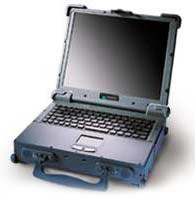 1. Opt for an Intel Pentium 4 or an Intel Centrino processor. The processor forms the computing core of your laptop and is one area where you must not compromise.